


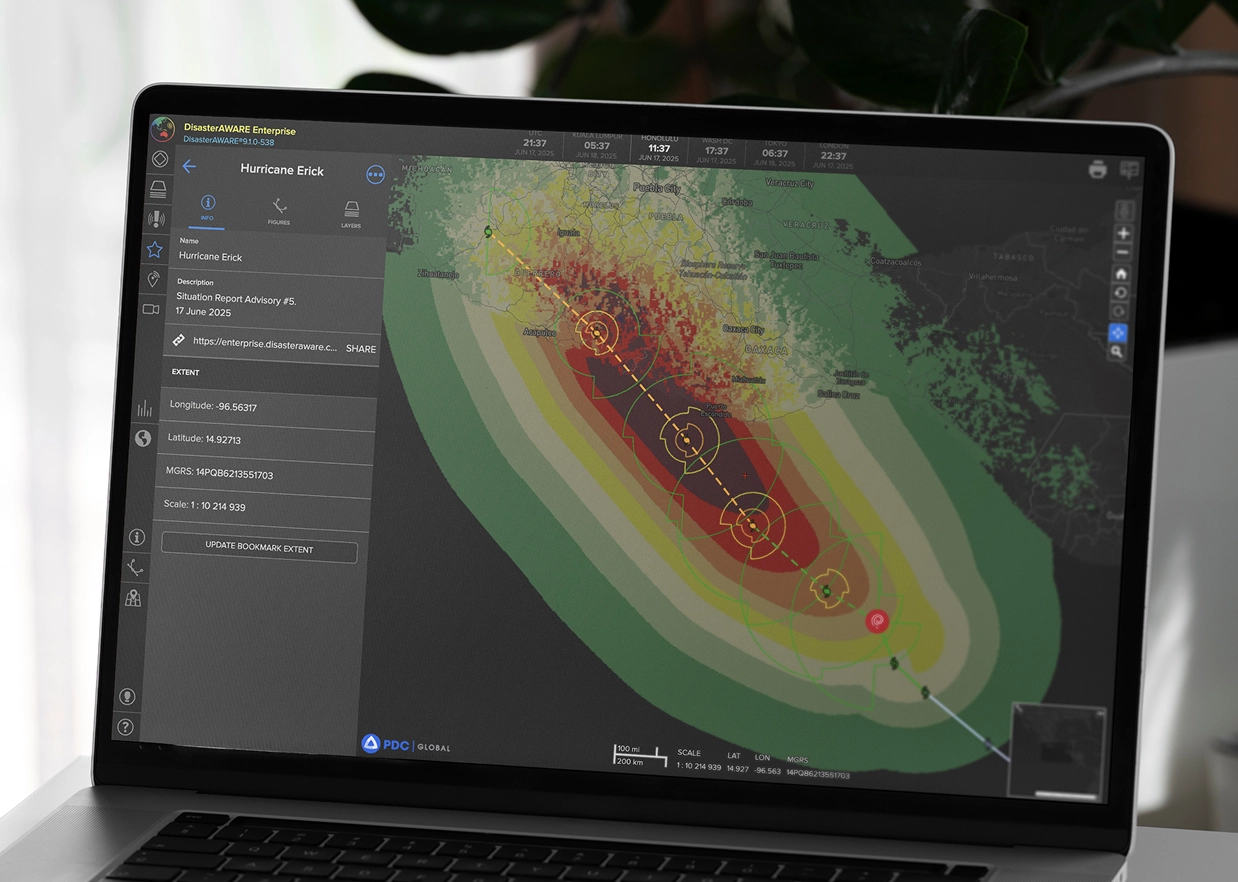
DisasterAWARE’s Bookmarks feature allows users to save and return to specific application states—including the current map extent, selected layers, and any custom drawings. Whether you’re monitoring your daily area of responsibility or coordinating a complex disaster response, bookmarks provide a powerful way to personalize your workspace and share critical information with others. Users can easily create, edit, and share bookmarks, making them a valuable tool for both routine monitoring and emergency operations. When paired with the built-in print tools, bookmarks also make it easy to generate formal map outputs for sharing with executives and non-users.
The Bookmarks panel is your central location for managing saved map views. Accessible from the main toolbar, the panel displays a list of all your saved bookmarks. Each entry shows the bookmark name and timestamp of creation, helping users quickly identify their saved states. While thumbnail previews are not displayed, bookmarks can be sorted either by creation date (default) or alphabetically.
By consolidating this critical information into a clear, visual report, DisasterAWARE enables businesses, emergency managers, and insurers to quickly understand volcanic impacts and implement informed, proactive responses.

After saving, your bookmark will capture the entire current application state—including extent, drawings, and active layers. You can update bookmarks at any time, making them perfect for dynamic operational planning or maintaining a consistent daily workspace.
.webp)
DisasterAWARE’s Drawing tools, located in the main toolbar, allow users to add custom annotations directly on the map. You can draw:
Each drawing can be styled with different colors, labels, and sizes. These annotations are automatically saved as part of a bookmark, enabling consistent visual context when sharing the view with others.
Drawings are editable—users can move, resize, restyle, or delete individual features as the situation evolves.
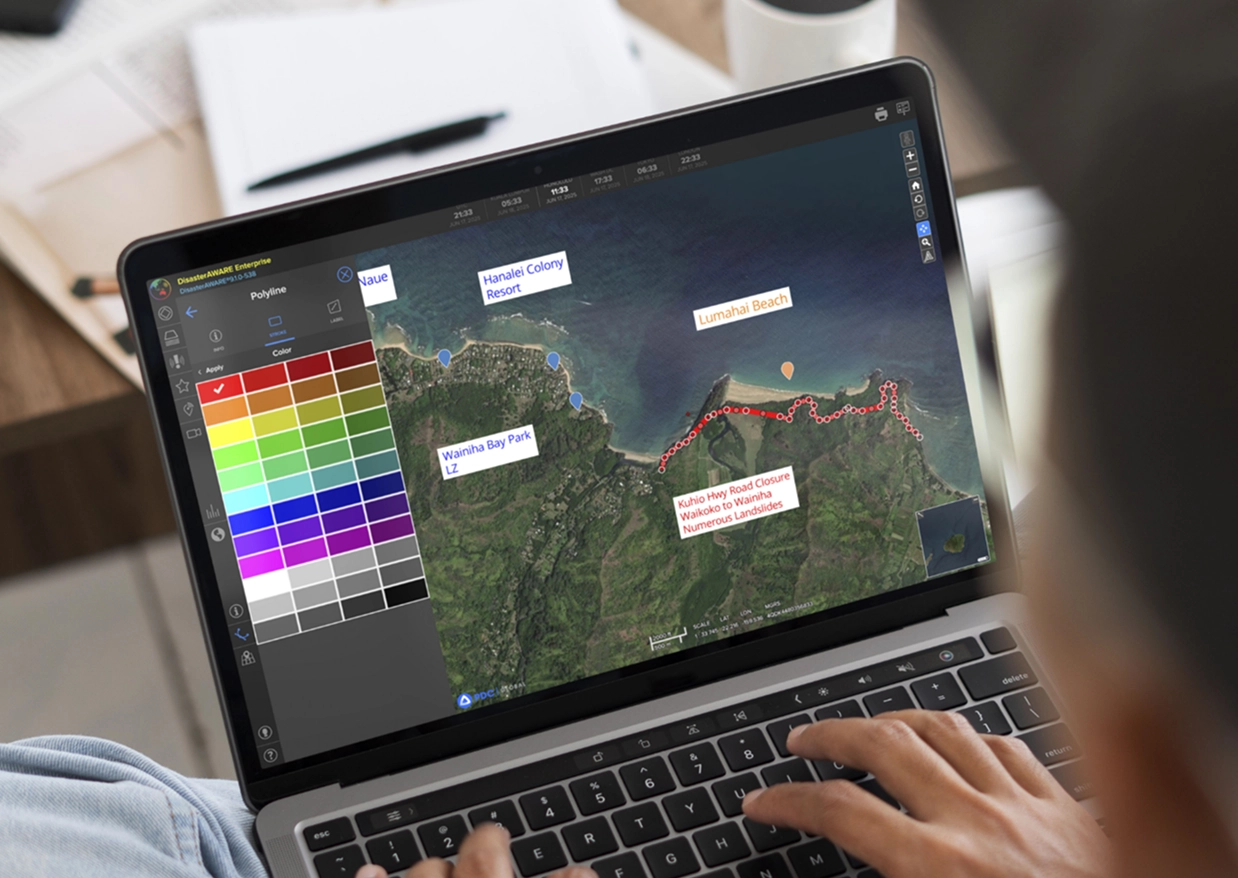
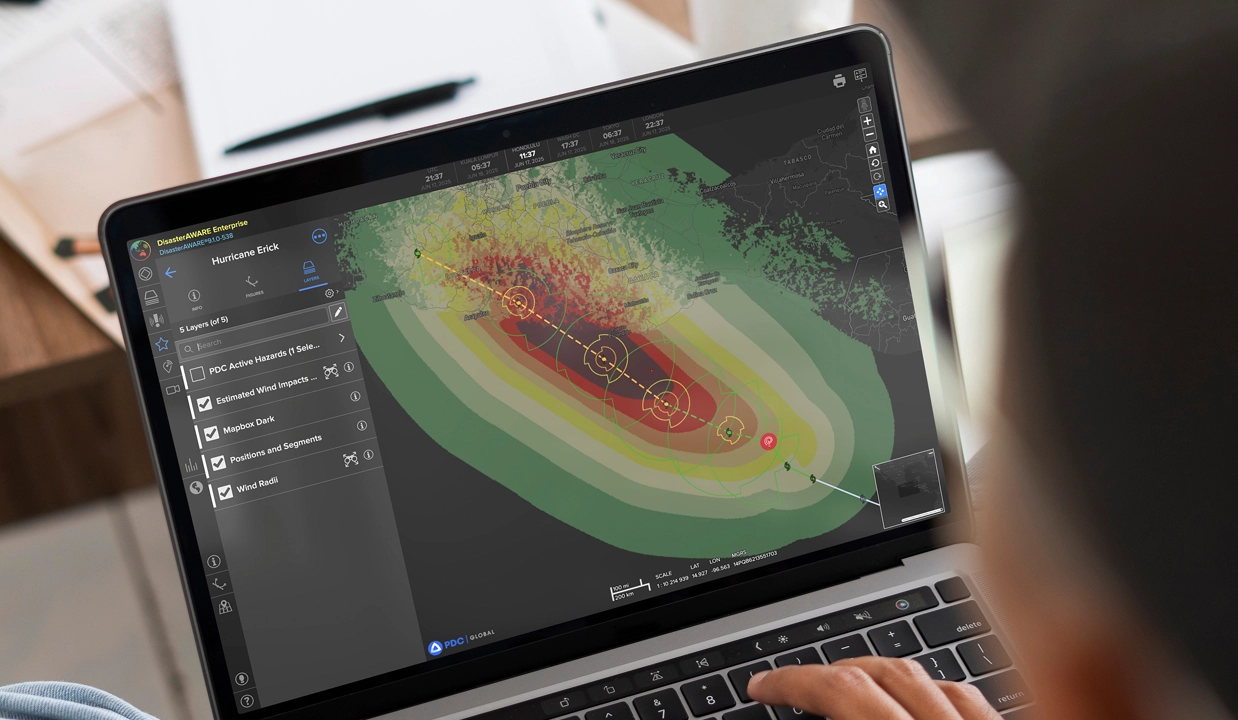
DisasterAWARE’s Drawing tools, located in the main toolbar, allow users to add custom annotationsWhen creating a bookmark, the platform also saves any currently active map layers. This may include hazard alerts, situational overlays (like population or infrastructure), or your organization’s private datasets. directly on the map. You can draw:
This ensures that when you or your colleagues return to the bookmark later, they’ll see exactly the same map state—complete with the selected context layers—making bookmarks ideal for creating and sharing focused operational views during response efforts.
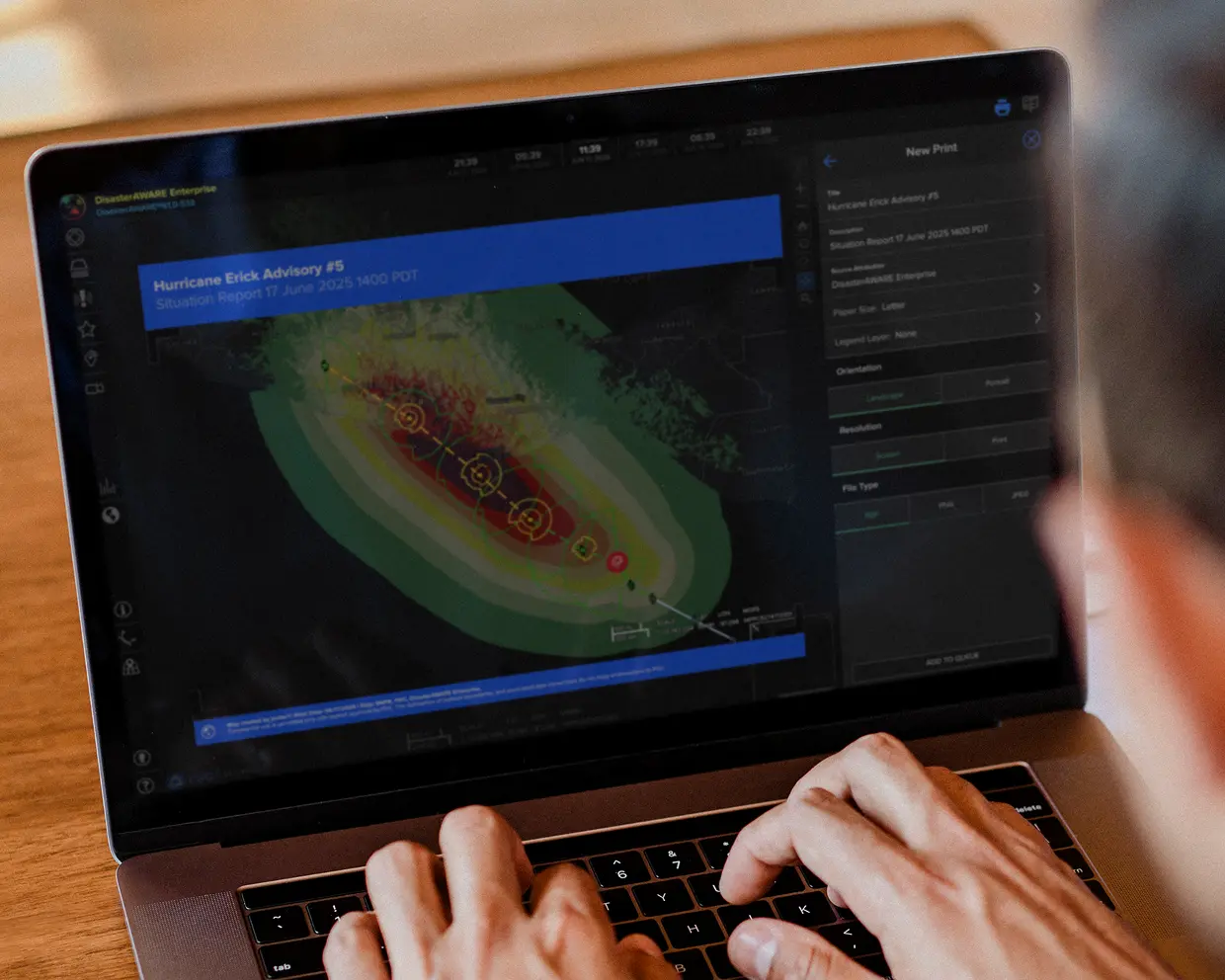
The Print tool allows customization of the map title, orientation, resolution, and included elements, ensuring the output is polished and tailored to your needs.
Bookmarks in DisasterAWARE help users save time, collaborate efficiently, and maintain situational clarity. Whether used to set a daily workspace, create and share operational snapshots, or generate printable reports for leadership, the bookmark feature supports a wide range of emergency management workflows. Combined with drawing tools, saved layer states, and flexible sharing options, bookmarks are an essential part of every DisasterAWARE user’s toolkit.
DisasterAWARE transforms real-world events into operational intelligence for enterprises, governments, insurers, and technology platforms.
Decision-ready intelligence for understanding what's happening, what is impacted, and what to do next. Global hazard, severe weather, catastrophe, and physical risk intelligence trusted by governments, enterprises, insurers, humanitarian organizations, and technology platforms worldwide.
Request DemoContact Us

